

Where AI chat feels calm again.
A local-first desktop app for chatting with any model, cloud or local. Fork any message to try another angle, keep every path, and file the whole thing into workspaces that match how you work.
- Free & MIT-licensed
- No account
- Bring your own keys
- Nothing leaves your machine
Works with
- Anthropic
- OpenAI
- OpenRouter
- Groq
- xAI
- Mistral
- DeepSeek
- Together AI
- Cohere
- Hugging Face
- Ollama
- Any OpenAI-compatible endpoint
What a single scrolling thread can't give you.
Six things Hanoki does differently, none of which require you to change how you type a message.
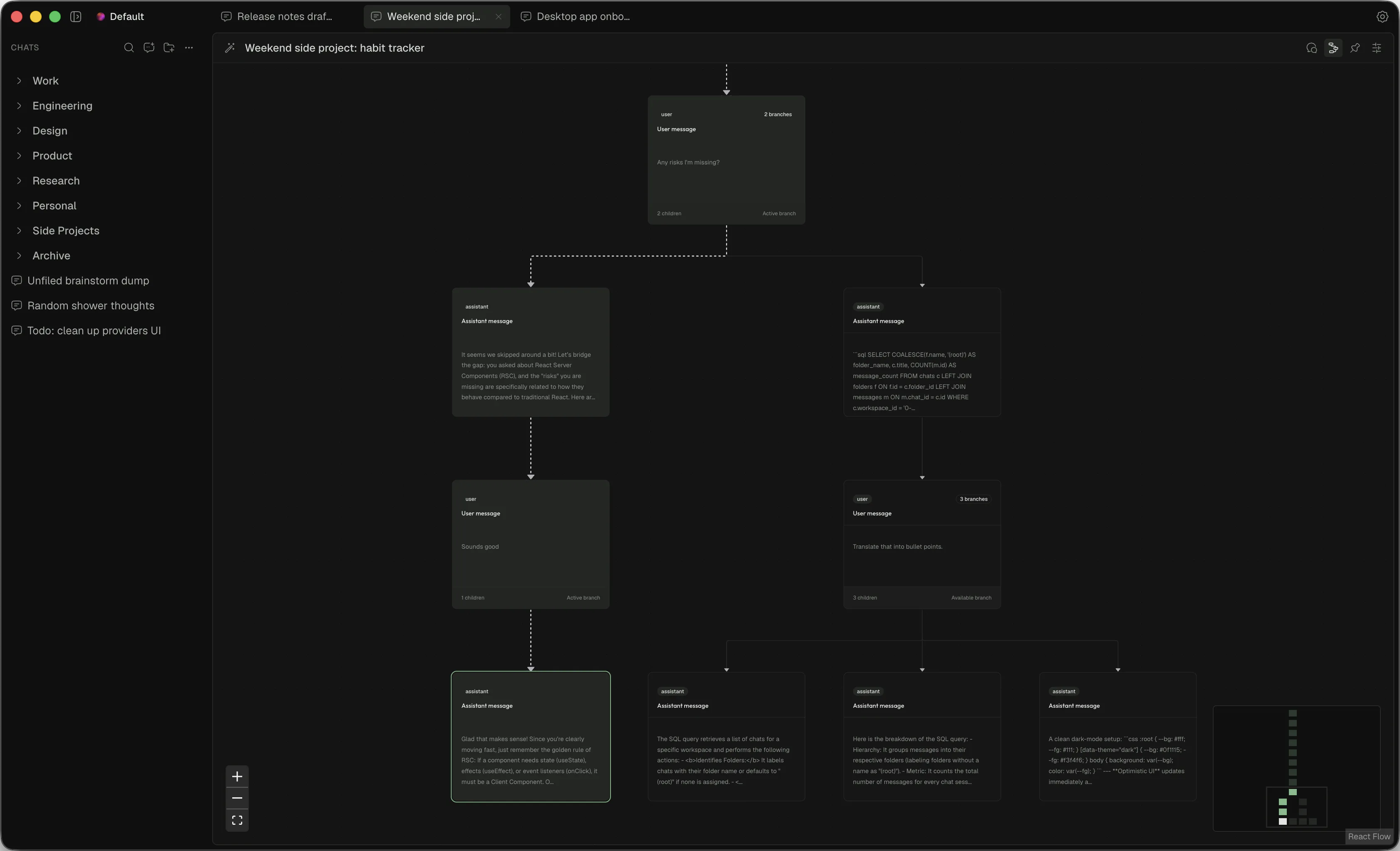
Every message can fork
Edit a reply, try a second model, chase a side thought. Each attempt becomes its own branch instead of overwriting the last one, so the answer you liked is still there tomorrow.
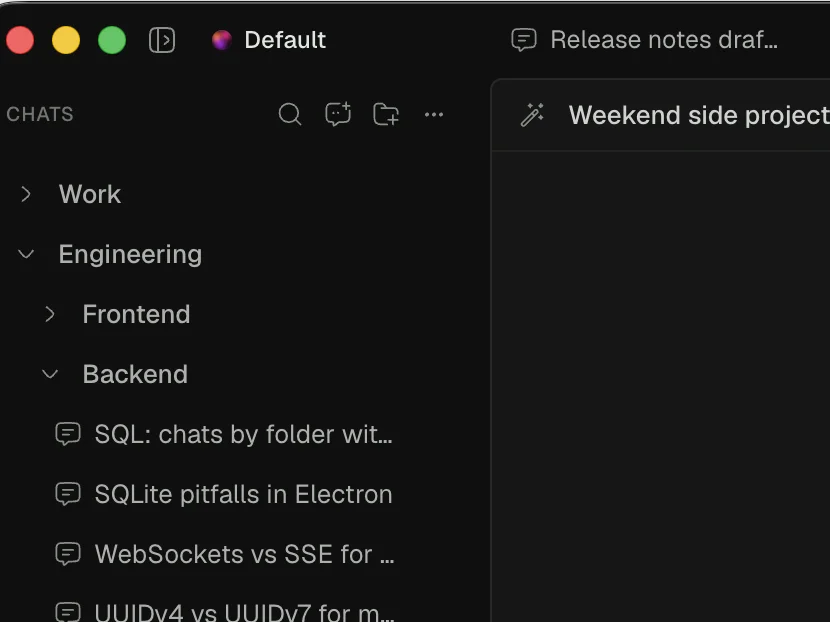
Workspaces & nested folders
Group chats the way you already think about them: by project, by client, by whatever you're chasing this week. Not one flat list of half-remembered titles.
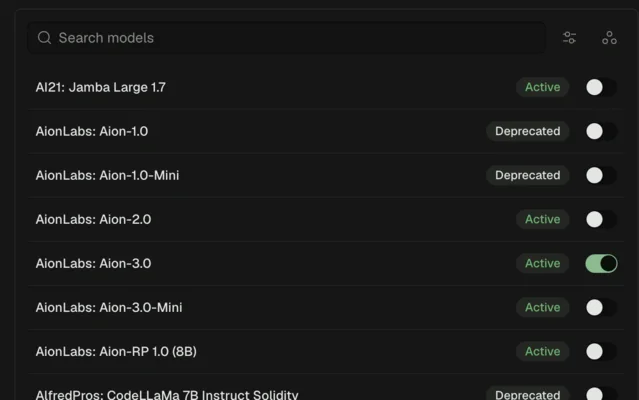
Bring your own models
Add your keys, switch on the models you actually use, and change provider mid-conversation without changing how you chat.
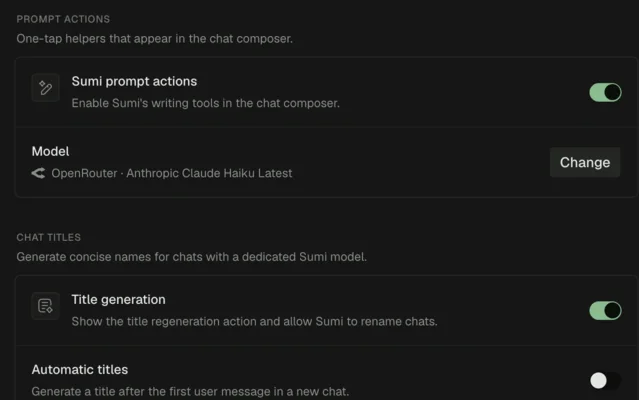
Sumi, woven in
Small AI-assisted actions live in the composer: refine a draft, name a chat. Off by default, and powered by whichever model you point them at.
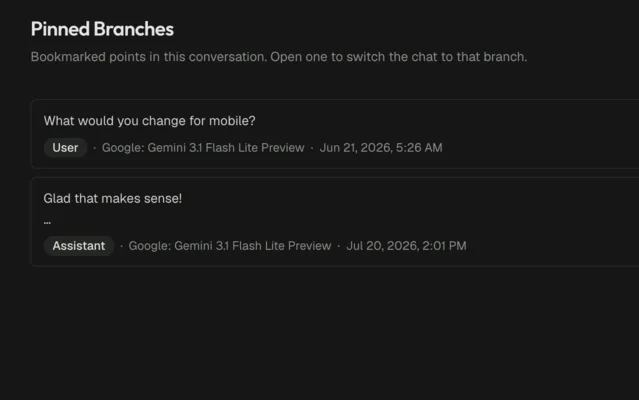
Pin the good branches
Bookmark the turns worth keeping. Jump the whole chat back to any of them in one click.
Local-first, and honest about it
There is no Hanoki server. Chats and settings live in a SQLite file on your disk, API keys go to the OS keychain, and the only requests Hanoki makes are the ones you send to your own providers.
- API keys
- OS keychain
- Chats & folders
- Local SQLite file
- Telemetry
- None
- Accounts
- None
- Source
- MIT on GitHub
It's pre-alpha. Things move fast and break sometimes.
There's no Apple Developer licence yet, so macOS builds are unsigned: the first launch needs a right-click → Open, and updates are manual. The install guide walks through it. If that sounds fun rather than scary, you're exactly the right kind of early.
Before you download.
Anything missing? The Discord is small and answers quickly.
Is Hanoki free?
Yes. It's MIT-licensed, with no account and no subscription. You pay your model providers directly with your own API keys, or nothing at all if you run local models.
Where do my chats actually live?
In a SQLite database on your machine. API keys are encrypted by the operating system — the macOS Keychain — rather than sitting in a plaintext config file. There is no Hanoki server, so there is nothing to sync and nothing to leak.
Which models can I use?
Anthropic, OpenAI, Google, OpenRouter, Groq, xAI, Mistral, DeepSeek, Together AI, Cohere and Hugging Face out of the box, plus local runtimes like Ollama and any OpenAI-compatible endpoint. Enable the models you care about per provider and switch between them mid-conversation.
What does branching a chat mean?
Every message in Hanoki is a node in a tree rather than a line in a scroll. Edit a prompt or re-run a reply with a different model and you get a new branch instead of overwriting what was there. Both paths stay, and you can jump between them or pin the ones worth keeping.
Windows or Linux?
Hanoki is a normal Electron app and the build config already covers Windows and Linux, but macOS is the only platform with published builds today. Follow the repo or the Discord if you want a ping when that changes.
Why does macOS warn me on first launch?
Builds are still unsigned, because there's no Apple Developer licence yet. Right-click the app and choose Open, or allow it under System Settings → Privacy & Security. It also means no auto-updates for now.

Bring a little calm to your chats.
Download it, point it at your own keys, and see whether it sticks. There's nothing to sign up for.